 daren.gg
daren.gg
daren.gg
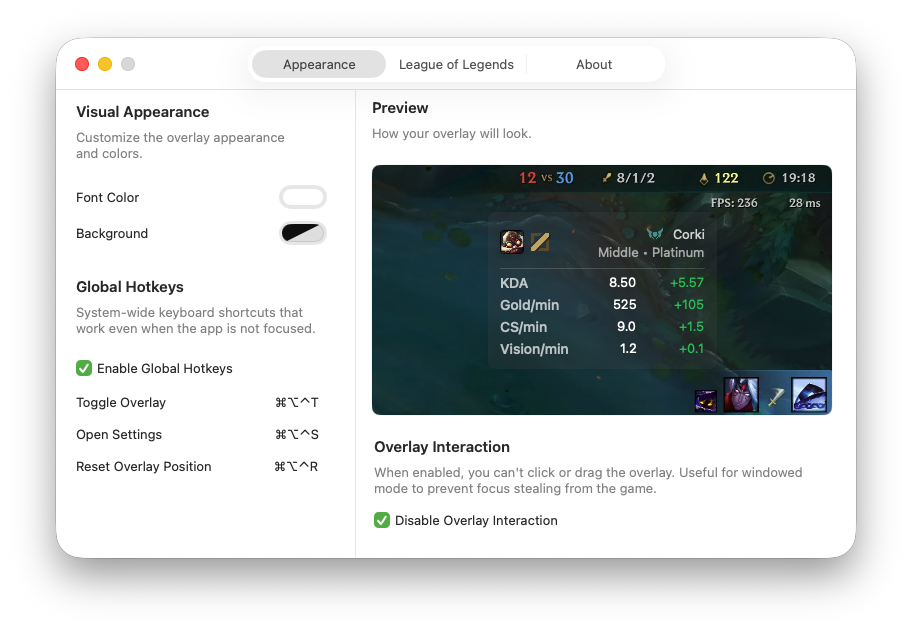
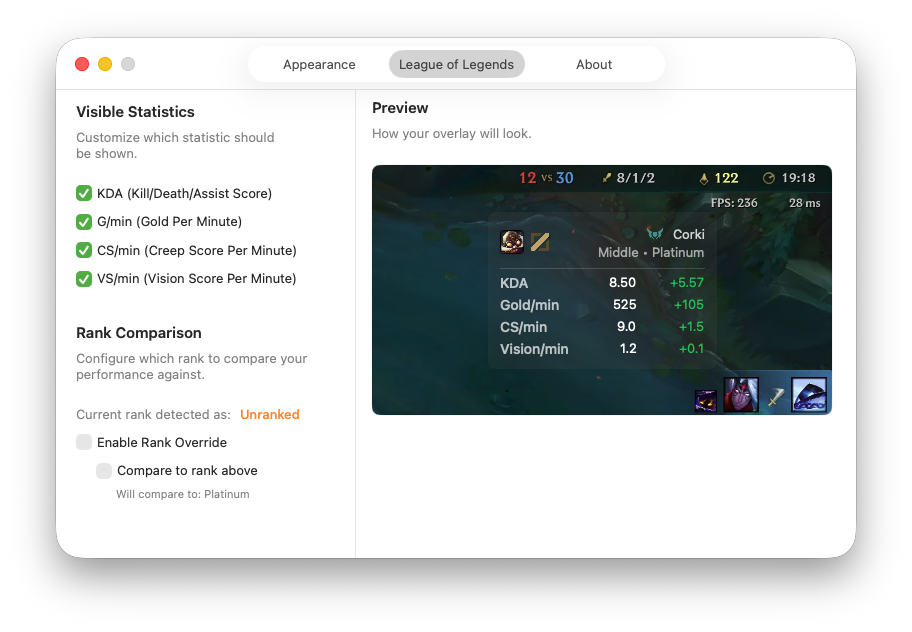
daren.gg is a native macOS overlay for League of Legends. It shows your live in-game performance and color-codes it against your rank — built natively for macOS using the official Riot Games API.
macOS 12.0 or later • Apple Silicon & Intel • Coming soon to the Mac App Store
daren.gg is a native Mac app written in Swift and SwiftUI. It's a public app for any League player on Mac, so we're applying for a Riot Games production API key — a personal key isn't enough for an app other people install and use.
Here's exactly what we call, and why:
https://127.0.0.1:2999/liveclientdata/allgamedata. This runs on your own computer while you're in a game and gives us your live stats: KDA, gold, CS, items, and your Riot ID. It's local to your machine, so it needs no key. We check it about once a second during a game, and slow down to roughly every 10 seconds when you're not in one./riot/account/v1/accounts/by-riot-id/{name}/{tag}. Takes your Riot ID from the live game and looks up your PUUID (your account's global ID)./lol/summoner/v4/summoners/by-puuid/{puuid}. Gets your summoner record for that account./lol/league/v4/entries/by-summoner/{summonerId}. Gets your ranked tier and division, which we use to pick the right rank to compare your stats against.The rank benchmarks (the "good vs. bad for your rank" numbers) come from publicly available champion stats, not from the Riot API.
We only read data — we never write anything or do anything inside the game, and we only ever pull your own stats, never other players'. The production key is needed for the Account-v1, Summoner-v4, and League-v4 calls, which run once per account for every person who uses the app.
See our Privacy Policy for what's stored.